

AI talking head video editor for Shorts, TikTok and Reels
Upload a take of yourself talking to the camera. ViewGum edits it into a finished vertical short for YouTube Shorts, TikTok, Instagram Reels or Facebook Reels: it opens on the line it picks as the hook, cuts the pauses and false starts, and adds captions timed to your words, graphics and sound. Change anything by typing or saying what you want.
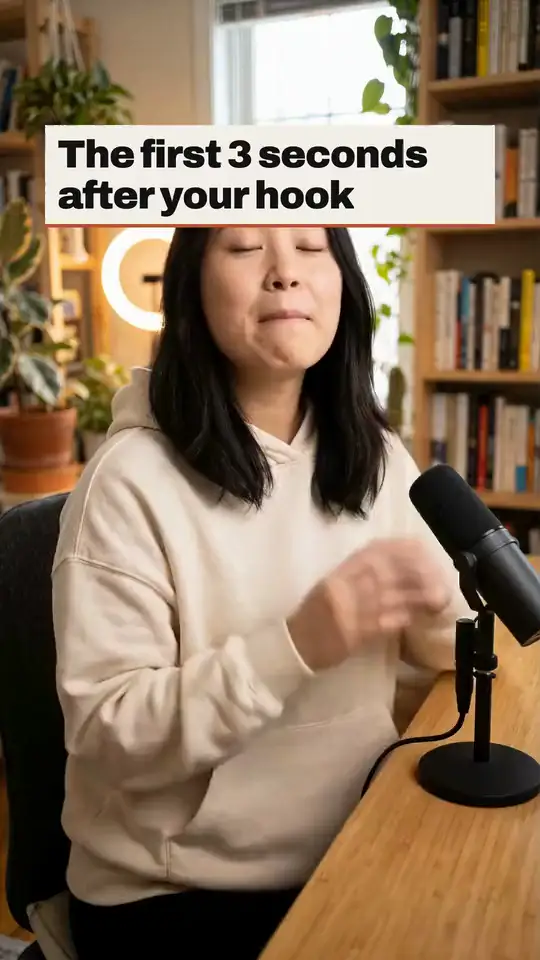
What happens to your take
- Upload an MP4, MOV or WebM of up to 10 minutes and 2 GB. A horizontal take is cropped to vertical around your face.
- Speech recognition times every word, and the editor picks the line to open on: a specific claim, result, number or contrast. The short starts on its first word.
- Greetings, channel intros, false starts, filler words and long pauses come out, and the weakest lines go until the cut pays off the hook in about 60 seconds.
- Captions are burned in, timed to each word and kept inside the safe box, clear of each app's buttons and post text.
- Graphics land on the words they show, such as a number, a list, a comparison or a timeline, and a title of 3 to 8 words says the hook on screen for people watching with the sound off.
- Sound effects mark what happens on screen, and the mix is levelled to -14 LUFS. The music and sound effects are made by ViewGum, not taken from a stock library.
- The first cut comes with the editor's notes, such as a better first line when the rest of the take never pays off its opening.
Four edit styles
Pick one before the first cut, or choose Surprise me for a different one each time. With no pick, ViewGum goes by your channel's niche.
Clean
- Calm push-ins, sentence captions and a few graphics.
- Keeps pauses of up to 0.42 seconds, and captions of 3 to 4 words.
- No music bed, and a half-screen cartoon cutaway in about 3 of 10 videos.
Punchy
- Quick punch-ins, short captions, more graphics and sound.
- Keeps pauses of up to 0.22 seconds, and captions of 2 to 3 words.
- A music bed, and a full-screen cartoon cutaway every 15 to 18 seconds.
Story
- Slower pacing, half-screen cutaways and a music bed.
- Keeps pauses of up to 0.6 seconds, and captions of 4 to 6 words.
- A music bed, and a half-screen cartoon cutaway every 16 to 20 seconds.
Raw
- Your take as you said it, with dead air cut and plain captions.
- Keeps pauses of up to 0.9 seconds, and captions of 4 to 6 words.
- No music bed, and no cartoon cutaways.
Change it by asking
- Type a change, or hold the mic and say it: open on another line, put back a line that was cut, tighten the pauses, add a list of the three steps, make the captions bigger, or turn the music down.
- If a caption word is misheard, ask for the fix. The caption changes and your audio stays as it was.
- Every change makes a new version, and undo and redo step between them.
Why the hook goes first
The apps judge a short by its first seconds and by whether people finish it. Here is what they say they measure.
- 3 and 6 secondsTikTok's guidance for ads: state what the video offers in the first 3 seconds and land the hook in the first 6As of June 2025, source 1
- Under 3 secondsis a quick skip, one of the outcomes Instagram's Reels ranking predictsAs of November 11, 2025, source 2
- Watching to completionis one of the things Facebook's Reels ranking predicts, along with likes and watch timeAs of June 19, 2026, source 3
An editor, not an avatar
ViewGum edits footage you recorded. It doesn't generate a presenter, and it doesn't make a likeness of you.
No take yet? Write a script in ViewGum and read it off the teleprompter in your browser. The recording goes straight into a new edit.
Questions
How do I edit a talking head video?
Record yourself in one take and upload it. ViewGum makes the first cut, with the hook up front, the pauses and false starts out, and captions, graphics and sound in. Ask for any changes, then export a vertical MP4 with post copy for each platform.
What equipment do I need?
A phone is enough. Record vertically if you can, though a horizontal take is cropped to vertical around your face. Clear sound helps most, because the captions come from what the speech recognition hears.
Can it add B-roll?
Punchy and Story add short cartoon cutaways from ViewGum's own picture library, and Clean adds one now and then. ViewGum doesn't add stock footage.
Will the captions match my words?
They come from what you said, timed to each word. If speech recognition mishears one, ask for the fix and the caption changes without touching your audio. Captions are made for English speech.
Does it work for podcasts?
It's made for one person talking to the camera. The framing follows one main speaker and the captions don't say who is talking, so a clip with two people on screen isn't a good fit yet.
Can it make an AI avatar of me?
No. ViewGum edits video you recorded. It doesn't generate a presenter or a likeness of you.
How long is the finished short?
The first cut aims for about 60 seconds and keeps the lines that pay off the hook. The take you upload can run up to 10 minutes.
Does the video carry a watermark?
No ViewGum watermark. If you add your logo to your brand, it sits in a top corner of the safe box.
Edit your first take
Upload a take, get the first cut, change what you like, and export it for every platform.
Start freeSign in with Google. New accounts get bonus credits to start.
Sources
- Creative best practices for performance ads (updated June 2025), TikTok Ads Help
- Instagram Reels AI system card (updated November 11, 2025), Meta Transparency Center
- Facebook Reels AI system card (updated June 19, 2026), Meta Transparency Center
Last updated October 23, 2026.